5. After-sales & Handover
Managing after sales requests
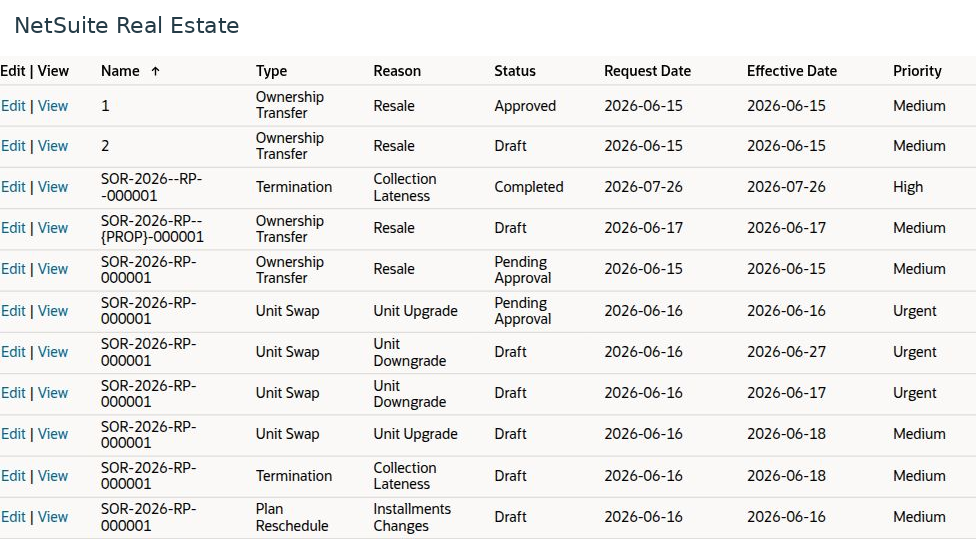
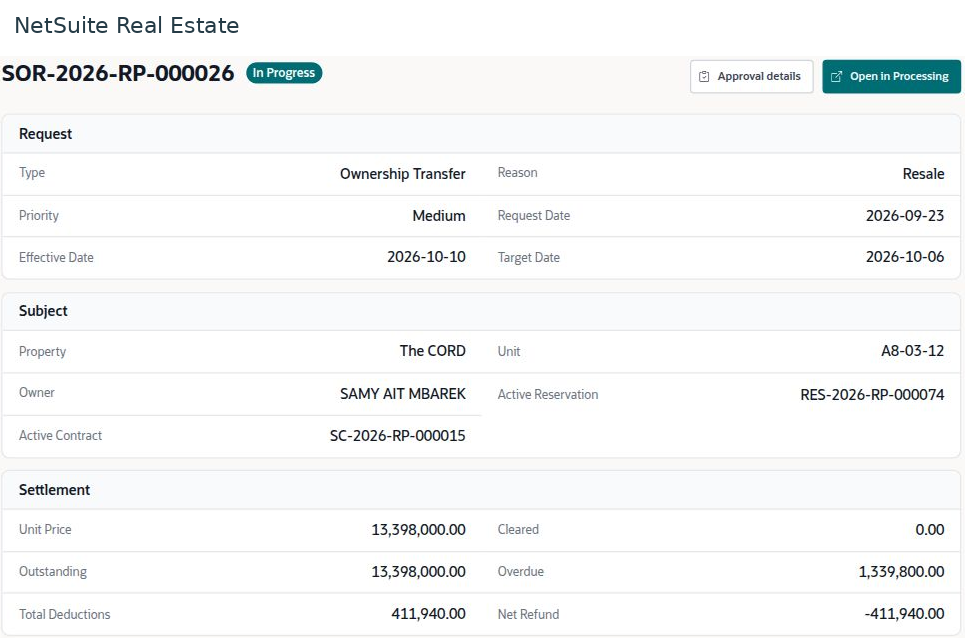
After-sales requests provide a controlled process for changes after the original commercial agreement. The request identifies the change, its effective date, and any charges or settlement.
Navigation: Launch page > After-sales & Handover > After-sales requests > New or Browse.
Before you begin
Confirm the source reservation or contract, customer, property, unit, requested change, and supporting authorization.
Procedure
- In Request Subject, select the request type. Available types include Ownership Transfer, Unit Swap, Termination, and Plan Reschedule.
- Enter the reason, priority, request date, effective date, and property or unit context required by the form.
- In Details, review the proposed change against the existing arrangement. For an ownership change, verify the affected parties; for a unit swap, verify both units; for rescheduling, verify the revised dates and amounts.
- In Charges & Settlement, review proposed charges, balances, and settlement treatment.
- In Review, confirm the complete request and submit it to the configured workflow.
- Follow approval and processing to completion, then verify the affected contract, schedule, unit status, and statement.
Result
The commercial change is documented without losing the history of the original arrangement.
Important
Do not treat submission or approval alone as proof that all downstream records have changed. Check the effective date and resulting records, especially when receipts or cheques already exist.
Screen walkthrough