Facility Management
Reviewing tenant service cases and escalations
A service case records a reported issue, its owner, priority, status, and communication history. Use it to coordinate responses and escalation before confirming resolution.
Navigation: Facility Management > Service Request > Cases.
Before you begin
Identify the customer or tenant, property, issue, contact context, incident date, and responsible service team.
Procedure
- Locate the case by number, subject, status, or assigned user and open View.
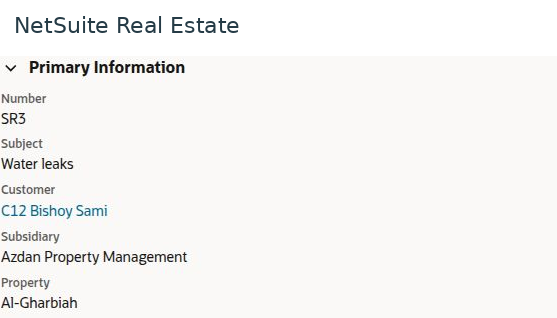
- Review the subject, customer, property, profile, assignment, priority, and current status.
- Review Incident Information, including type, service-request issue, origin, and due date where applicable.
- Open Communication to review messages, activities, files, and notes. Distinguish internal notes from customer-facing messages.
- Review Related Records, Escalations, and Metrics to understand the work and response history.
- Confirm the responsible person and required next action. Verify completed work and communication before the case is closed through the authorized process.
Result
The service team can explain the case's current status and the action needed to resolve it.
Important
An Escalated case needs ownership and follow-up; it is not proof of completed maintenance. Verify recipients and the Internal Only setting before sending or adding communications through the case process.
Routing and administration
Facility Management includes Case Profiles, Case Rules, Case Territories, Reassignment, and Online Case Forms. These controls affect intake and routing. Business users should report incorrect assignment to the responsible administrator rather than creating duplicate cases.
Screen walkthrough