
2. Property setup
Reviewing property setup and financial controls
Property setup defines the defaults and controls used by property sales and collections. Review these settings before users begin reservations, receipts, or other transactions for a property.
Navigation: Launch page > Property setup > Property setup.
Workspace overview
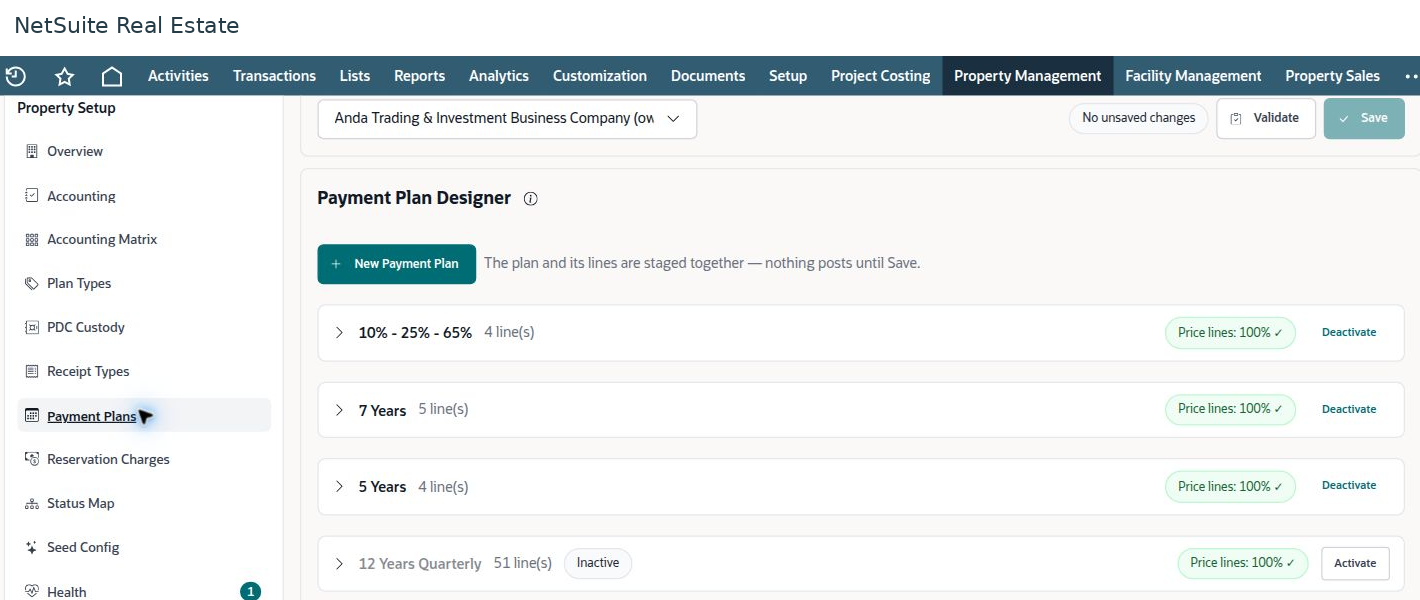
Before you begin
Confirm the property's legal entity or subsidiary, area unit of measure, authorized financial policies, and responsible business owners. Configuration changes should be handled by an authorized setup user.
Procedure
- Select the property and review Overview. Check the property code, type, structure, dates, sales defaults, and banking information that apply to the property.
- Review Accounting and Accounting Matrix with Finance. Confirm that account mappings correspond to the intended transaction types and subsidiary.
- Review Plan Types, Payment Plans, and Reservation Charges. Confirm which plans and charge types users may select.
- Review Receipt Types and PDC Custody with Collections. Check that the required receipt and cheque-handling options are available.
- Review Status Map and Health. Resolve configuration issues before using the property in a new transaction. Use Validate to check changes before saving them.
Result
Users have consistent property defaults and the financial mappings needed for the intended workflow.
Important
The subsidiary is locked in this setup workspace because it affects account validation and posted financial activity. Do not use a subsidiary change as a routine correction to a transaction. Refer the issue to the authorized administrator and Finance.
Configuration ownership
Finance owns accounting mappings, currencies, bank accounts, and financial policy. Sales owns commercial plans and reservation charges. Property operations owns the structure and operational statuses. Seed Config is an administration function; it is not part of daily business processing.