1. Executive dashboard
Using the posting console and reviewing GL impact
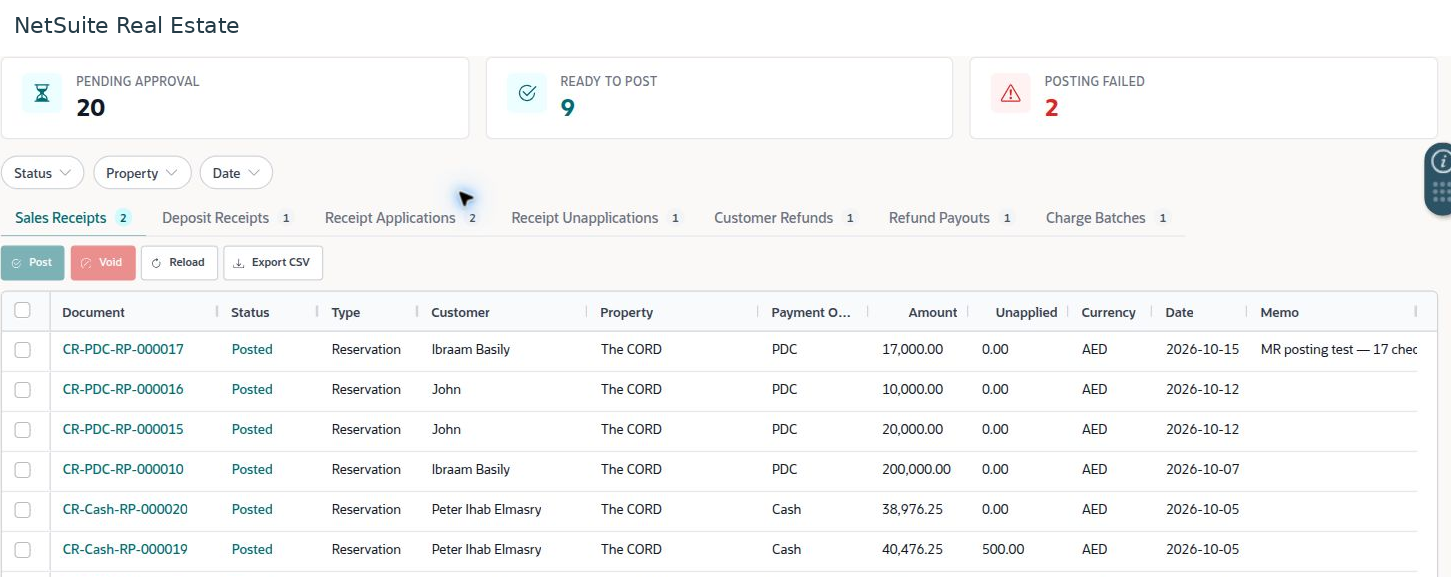
The posting console separates records awaiting approval, records ready to post, and records with posting failures. Use it to monitor financial processing and investigate exceptions.
Navigation: Launch page > Executive dashboard > Posting console.
Before you begin
Confirm that the source record has the required approval and that its subsidiary, currency, account mappings, and transaction details are correct.
Procedure
- Review Pending Approval, Ready to Post, and Posting Failed counts. Apply the property, status, and date filters relevant to your work.
- Select the appropriate transaction tab: Sales Receipts, Deposit Receipts, Receipt Applications, Receipt Unapplications, Customer Refunds, Refund Payouts, or Charge Batches.
- Open the source document and review its details before selecting it for an authorized posting action.
- After processing, reload the console and inspect the source record's resulting status and related transactions.
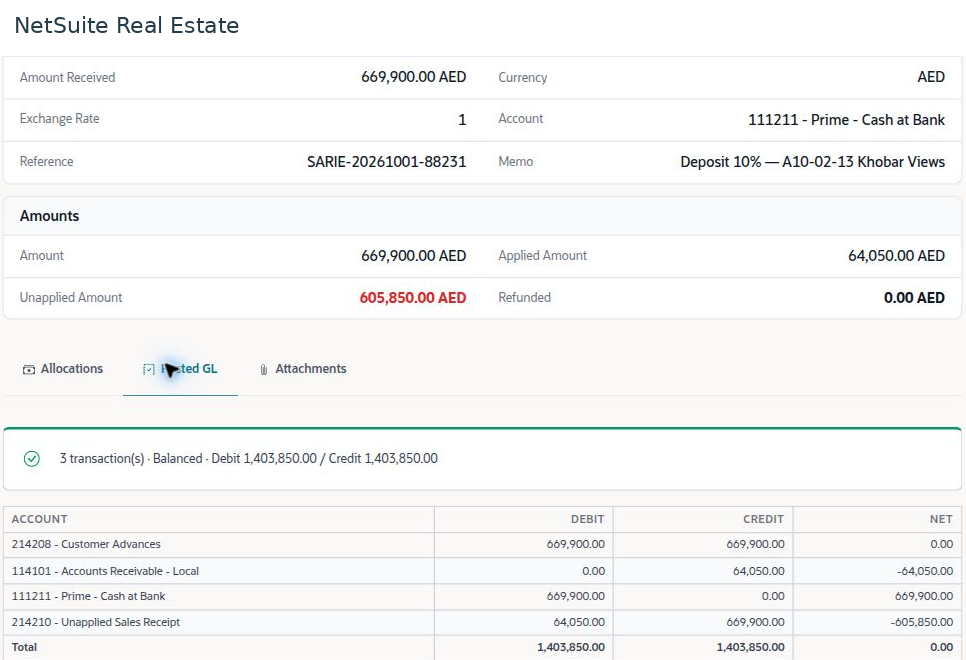
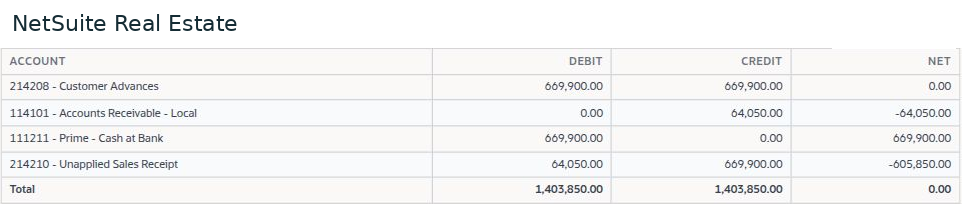
- Open Posted GL where available. Check transaction references, accounts, currency context, debits, credits, and whether the entries represent the intended business event.
- For a failure, resolve the source issue and check for any existing related transaction before retrying.
Result
Financial processing is traceable from the console to the source record and its posted transactions.
Important
Balanced debits and credits confirm arithmetic balance, not the correctness of the business classification. Void, unapplication, refund, and refund payout are different actions and should follow the approved correction process.
Reading the example
The combined debit and credit totals include multiple related transactions. They are not additional customer collections. Reconcile the receipt amount and allocation separately before interpreting the aggregate GL totals.
Screen walkthrough