
11. Data
Preparing and validating real estate data imports
Import preparation helps preserve consistent customer, property, and unit information when data is brought into NetSuite Real Estate. Validate the record type and relationships before loading a file.
Navigation: Launch page > Data > Import hub.
Workspace overview
Before you begin
Confirm the authorized migration scope, source data owner, duplicate-handling approach, identifiers, field mapping, and reconciliation totals.
Procedure
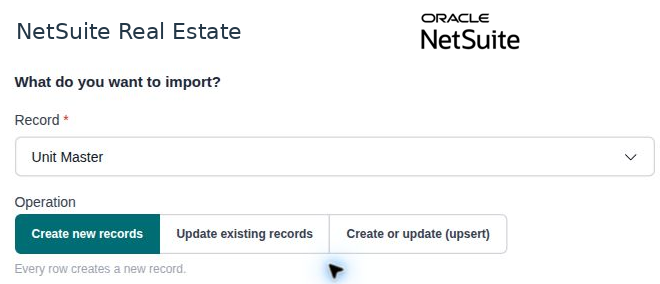
- Open Import hub and select the appropriate supported record type. The observed selector includes Account, Sales Lead, and Unit Master.
- Prepare source values to match the selected record type. Confirm required identifiers and related property or customer references.
- Review duplicates, dates, area units, currencies where applicable, and controlled-list values before importing.
- Use the import controls available for the selected type and follow the account's approved import procedure.
- Review any validation or processing results, correct exceptions, and reconcile the resulting records to the source counts and key values.
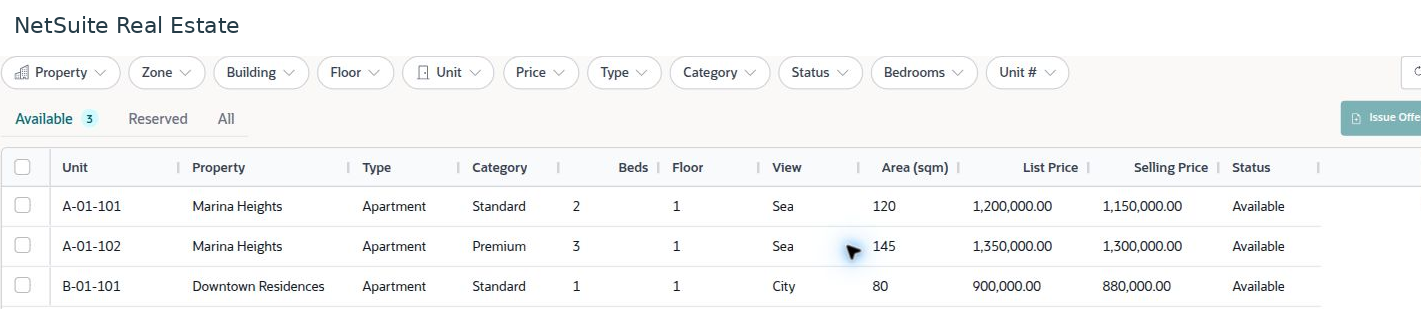
- Open representative imported records in the normal business lists to verify that their relationships and classifications are usable.
Result
The imported records can be reconciled to the approved source and used by business workflows.
Important
Do not assume that every record type or opening balance is supported by this hub. Select only the types available in the account and use the approved migration method for other data. A successful file upload is not sufficient evidence of a completed and reconciled import.