
7. Procurement
Reviewing procurement tenders and award approvals
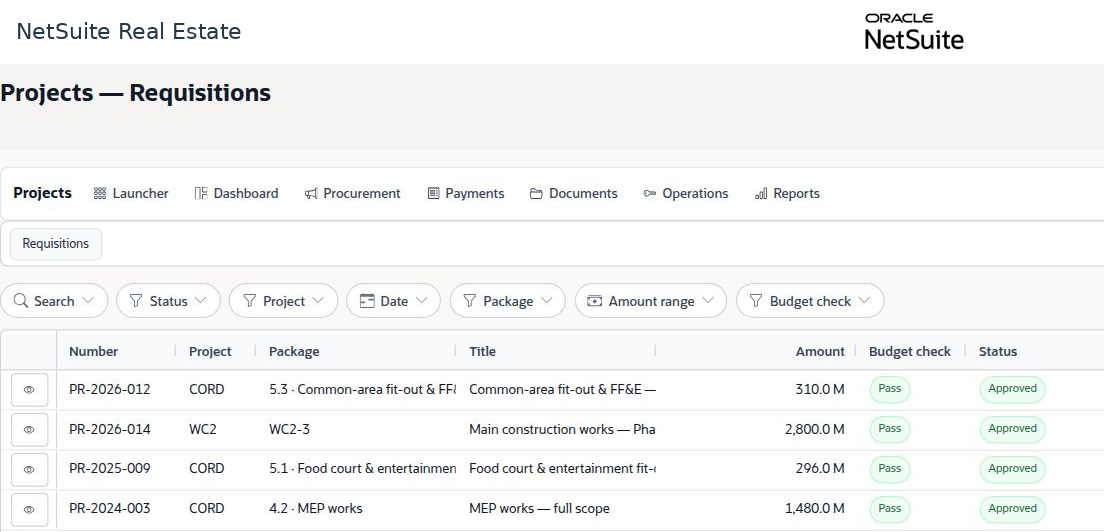
The procurement workspace tracks a requirement from requisition through budget review, tender evaluation, and contract award. An award recommendation must complete the required approval before it becomes a commitment.
Navigation: Launch page > Procurement > Procurement workspace > relevant tender.
Workspace overview
Before you begin
Confirm the project, package, approved procurement scope, budget, evaluation criteria, and required supporting documents.
Procedure
- Locate the requisition or tender in its current pipeline stage. The workspace includes requisition, budget gate, approval, RFQ, evaluation, negotiation, award, and contract stages.
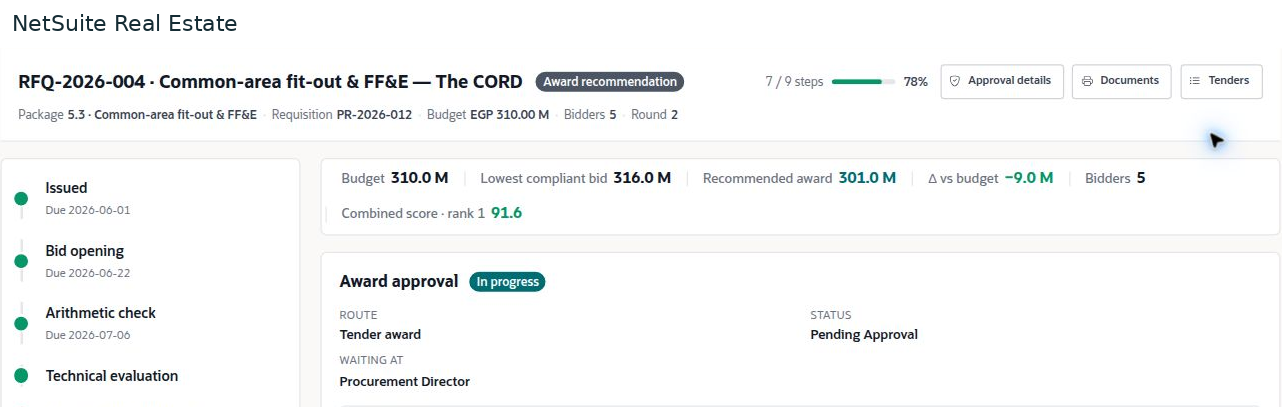
- Open the tender and verify its project package, source requisition, budget, bidder count, and round.
- Review completed checks, including bid opening, arithmetic, technical evaluation, commercial evaluation, and negotiation.
- Compare the recommended award with the budget, compliant bids, evaluation score, and supporting recommendation.
- Review the award approval route and current approver. Follow the approved outcome to the resulting construction contract and commitment.
Result
The award decision is supported by a defined scope, budget comparison, evaluation, and approval history.
Important
The example recommendation is 301.0 million against a 310.0 million budget, while the displayed lowest compliant bid is 316.0 million. Review negotiation and evaluation evidence to explain differences; do not assume these amounts must be identical.