
6. Projects
Real estate development and construction cost lifecycle
The development cycle connects an approved project budget to procurement, construction commitments, contractor certification, vendor billing, and payment. Forecasts show the expected final cost as work progresses.
Navigation: Launch page > Projects, Procurement, and Contractor payments.
Workspace overview
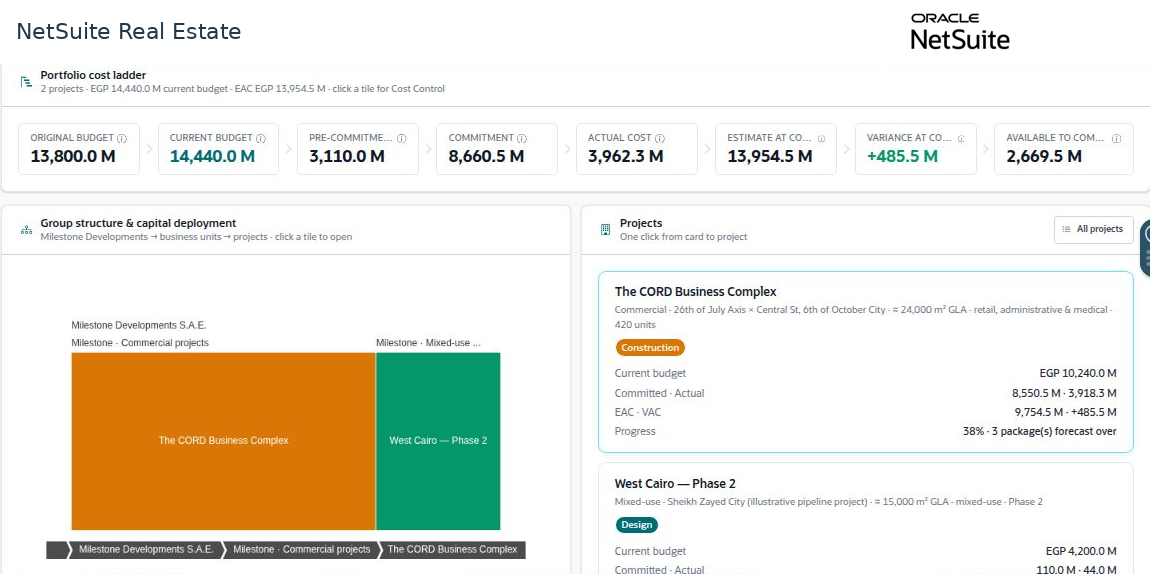
Before you begin
Confirm the project, approved budget version, control accounts or packages, procurement responsibilities, and contract authority.
Procedure
- Review the project budget and available amount before preparing procurement requests.
- Follow the requisition through budget review, approval, tendering, evaluation, negotiation, and award.
- Confirm the authorized construction contract and approved changes. Separate pending variations and time extensions from approved changes.
- Review contractor claims and certify measured work against the contract and supporting evidence.
- Complete the configured milestone review and approval before vendor billing and payment.
- Update the estimate to complete and review package-level forecast exceptions as commitments and actual costs change.
Result
Project teams can trace budget consumption from a procurement decision through the eventual financial payment.
Important
A tender recommendation is not an approved commitment. A claim is not a certified amount. A certified amount is not a payment. Keep these distinctions visible in project reporting.